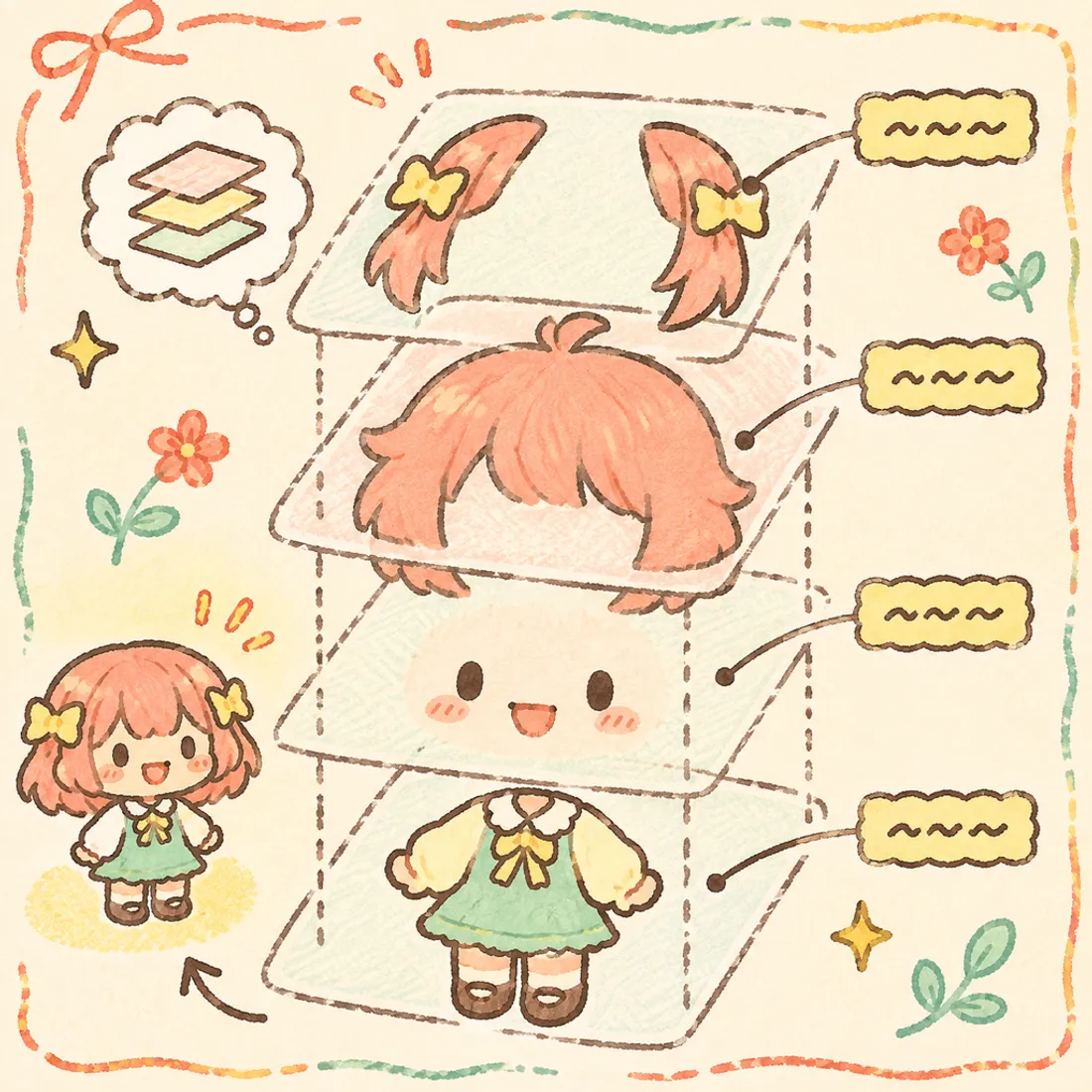
BUG Clicker PSD template
In short: BUG Clicker reads layer groups by name: body, head1 (normal), head2 (pressed), head3 (blink), head4 (petted), plus optional back1/back2 (back hair), side1/side2 (front hair) and ex1–ex4 extras. Use a square canvas — 800×800 px, 8-bit RGB — with a transparent background.
⬇ Download free PSD template800×800 · 8-bit RGB · groups already named · works in Photoshop, Krita, Clip Studio, Photopea, Procreate (import PSD)
Layer group names
| Group name | What it is | Needed? |
|---|---|---|
body | The body. Stays still and squishes when pressed. | Required |
head1 | Normal face — shown most of the time. | Required |
head2 | Pressed face — shown while the pet is clicked. | Recommended |
head3 | Blink — eyes closed. Turns on blinking. | Optional |
head4 | Petted face — shown while you stroke its head. | Optional |
back1 / back2 | Back hair or ears behind the head. Sways a little. | Optional |
side1 / side2 | Front hair or side pieces in front of the face. | Optional |
ex1–ex4 | Extra parts. Add “p” (ex1p) for the pressed version. | Optional |
Drawing tips
- Draw the face on the head groups and keep every head the same size and position — only the expression changes.
- Leave about 10% empty margin on each side so the squish animation doesn't cut the edges.
- Merge effects (shadows, glow) into normal pixels; BUG Clicker skips layer effects, masks and adjustment layers.
- Group names are what matter. Layers inside a group can be called anything.
- If the whole pet should squish as one piece, put the full drawing in each head group and leave body empty.
When you're done
Open the PSD checker to check the names and turn the PSD into a .cvclk in one click — or drop the PSD straight into BUG Clicker's character studio.